Tag: website development

  • Why SEO matters for Cork businesses

    Why SEO matters for Cork businesses

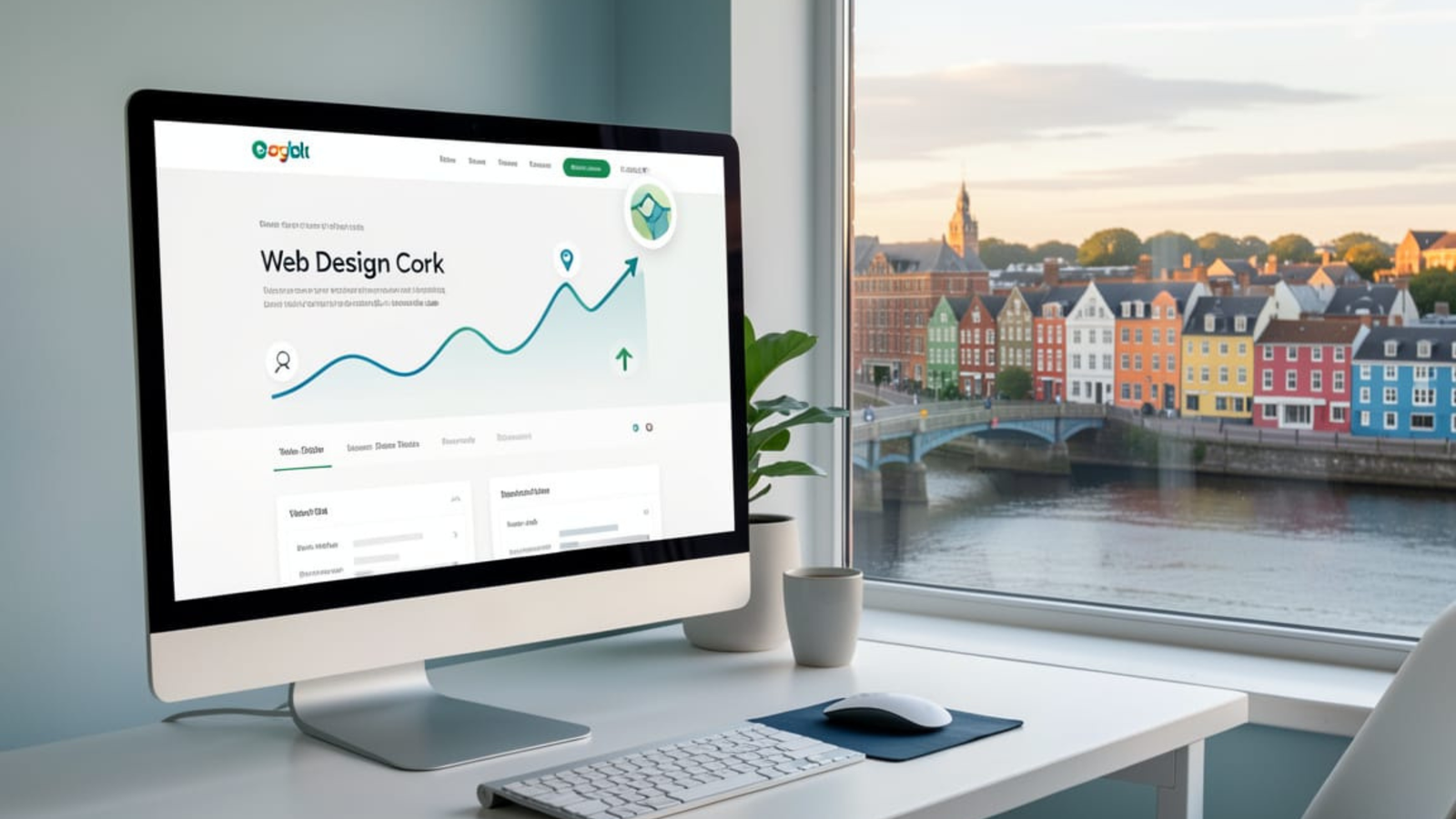
    Do Cork businesses need SEO? Yes—and if you offer Web Design Cork services, a strong SEO strategy is one of the fastest ways to get in front of ready-to-buy local customers.

    Why SEO matters for Cork businesses

    Cork consumers are searching online first, whether they need a plumber in Douglas, a café in Ballincollig, or a web designer in the city centre. Local SEO helps those businesses appear in Google’s organic results and the Map Pack when people search nearby. Nearly half of all Google searches have local intent, which means ranking well for Cork-focused terms directly affects enquiries, calls, and foot traffic.

    Local SEO also builds long-term visibility. Once your site is optimised and starts ranking, you can receive consistent organic traffic without paying for every single click like you would with ads. For small and medium-sized businesses in Cork, this can be the difference between relying on word of mouth and having a predictable pipeline of leads from search.

    Web design and SEO are tightly connected: a site that looks great but cannot be found in Google will not generate business. Modern Web Design Cork projects increasingly bake in SEO from the ground up, including fast load speeds, mobile responsiveness, clean code, and logical site structure. Agencies in Cork highlight that they build SEO-ready websites because it directly improves local visibility and increases enquiries from search.

    A custom website also makes it easier to implement on-page SEO best practices. That includes proper heading hierarchies, optimised title tags, persuasive meta descriptions, and content written around phrases such as “Web Design Cork” and related local keywords. Combined with strong UX—clear navigation, engaging layouts, and intuitive calls to action—this helps turn visitors from Google into leads and paying clients.

    Top benefits of SEO for Cork businesses

    Here are practical advantages Cork businesses see when they invest in SEO and quality web design:

    • Increased local visibility: Optimising for Cork-specific keywords and neighbourhood terms puts your business in front of people actively searching in your area.
    • Higher-quality traffic: SEO targets people who are already looking for your services, which means better conversion rates than broad, untargeted advertising.
    • More calls and enquiries: Local SEO (website + Google Business Profile) drives phone calls, contact form submissions, and shop visits from nearby customers.
    • Competitive edge in Cork: Appearing above local competitors in search results builds trust and authority, positioning your brand as the obvious choice.
    • Better return on investment: Compared with ongoing ad spend, organic rankings can keep generating traffic and leads for months or years with modest maintenance.
    • Stronger brand presence: Regular content creation, link building, and consistent NAP (Name, Address, Phone) details across directories reinforce your reputation locally.

    An example from Cork: businesses that invested in redesigning their website and aligning it with SEO saw a steady rise in organic visits and enquiries after launch, showing how design and optimisation working together directly impacts sales.

    Ranking your own Web Design Cork site

    If your goal is to rank your own site for “Web Design Cork”, you need to treat your business like your best client and apply a complete local SEO strategy.

    On-page optimisation for “Web Design Cork”

    Focus key pages of your site around your primary keyword and its close variants.

    • Use “Web Design Cork” in your homepage H1 and in at least one major service page heading, in a natural, human-readable way.
    • Craft a title tag such as “Web Design Cork – Custom, SEO-Friendly Websites for Local Businesses” and a compelling meta description that mentions Cork and your value proposition.
    • Write in-depth, helpful content about your services, process, and results for Cork clients, weaving in phrases like “professional web design Cork”, “SEO-friendly web development in Cork”, and “local business websites in Cork”.
    • Add dedicated service and location pages, for example “Web Design Cork City”, “Ecommerce Web Design Cork”, or “Small Business Web Design in Cork”, each with unique content.
    • Ensure fast loading times, responsive design, and clear internal linking, as these technical and UX factors contribute to better rankings and user engagement.

    Local SEO & Google Business Profile

    Google’s Map Pack is prime real estate for “Web Design Cork” searches, so you must signal to Google that you are a Cork-based provider.

    • Create and fully optimise your Google Business Profile with your Cork address, phone number, website URL, and accurate categories like “Website designer”.
    • Use “Web Design Cork” and related phrases in your business description and posts while keeping the copy natural.
    • Collect genuine reviews from local clients that mention Cork and your web design work where appropriate. Reviews influence both map rankings and click-through rates.
    • Ensure consistent NAP details across directories (e.g., local business listings, Irish industry sites, regional chambers).

    This combination of website optimisation and local signals tells Google you are highly relevant for Cork web design searches.

    Building authority with Cork-focused content and links

    Authority is a major ranking factor, especially in competitive niches like web design.

    • Publish regular blog posts answering questions Cork businesses actually ask about websites and SEO, such as “How much does web design cost in Cork?” or “Why Cork businesses need SEO-ready web design”.
    • Create case studies featuring local clients, highlighting tangible results (more traffic, enquiries, or bookings) from your web design and SEO work.
    • Earn backlinks from local sites: sponsor Cork events, partner with local agencies, contribute guest posts to Cork business blogs, or get featured in local media and directories.
    • Engage on social and local communities, then link back to relevant resources on your site (guides, checklists, or portfolio pieces for Cork businesses).

    Over time, these signals show search engines that your site is an authority on Web Design Cork, which strengthens your rankings for that and related keywords.

    When should a Cork business invest in SEO?

    Most Cork businesses should consider SEO when they:

    • Rely on local customers who search online before making a purchase.
    • Have a website that is not generating enquiries, despite looking good.
    • Compete in a crowded local market and need a sustainable way to stand out.
    • Want long-term growth rather than short, one-off campaigns.

    For a web design provider in Cork, SEO is not optional—it is a core part of how you attract clients and demonstrate your expertise. By optimising your site around “Web Design Cork”, investing in strong local signals, and building authority with Cork-focused content, you position your business where it matters most: in front of local companies actively searching for the services you offer.

    Ready to Upgrade Your Website for 2026?

    If you want a faster, cleaner, more modern website built for performance and long-term growth, I can help you design and build a future-proof system tailored to your business.

    👉 Send me a message or request a free consultation today.

  • The Real Cost of Not Upgrading Your Website in 2026

    The Real Cost of Not Upgrading Your Website in 2026

    Every year, technology moves forward, and the expectations placed on your website move with it. In 2026, customers expect faster load times, cleaner interfaces, stronger security, and an overall digital experience that feels modern and effortless. Unfortunately, many businesses still rely on websites built years ago — sites that may look “fine” on the surface but struggle behind the scenes.

    What most business owners don’t realise is that not upgrading your website comes with real costs. Some of these costs are financial, some are hidden, and others only become noticeable when you compare your website to competitors who have moved forward.

    This isn’t about chasing trends. It’s about staying functional, competitive, and trustworthy in a digital world that expects more every year. So, let’s explore the true cost of sticking with an outdated website — and why upgrading in 2026 isn’t optional anymore.


    The Hidden Decline of an Outdated Website

    Websites rarely fail overnight. Instead, they decline slowly. A few minor issues pile up. A plugin breaks. A page loads a little slower. A design element stops behaving correctly on mobile. At first, these problems feel small — easy to ignore. But over time, they compound, affecting everything from performance to conversions.

    An outdated website doesn’t just look old. It functions old. And customers notice the moment they land on your page. If your site feels sluggish, confusing, or unstable, visitors assume your business operates the same way.

    The longer a website goes without an upgrade, the more hidden problems it silently creates.


    Cost #1: Lost Sales and Conversions

    The biggest cost of an outdated website is lost revenue. When your site feels slow, outdated, or difficult to navigate, visitors leave before taking action. They don’t fill out your forms, don’t buy your products, and don’t trust your offers.

    Even if your business has strong word-of-mouth or loyal customers, new visitors judge you instantly. They compare you to modern competitors without even thinking about it. If your website doesn’t match their expectations, you lose the sale long before you ever had the chance to win it.

    A modern site, on the other hand, builds trust instantly. And trust is the foundation of every conversion.


    Cost #2: Poor SEO Performance and Declining Visibility

    Google continually updates its algorithms to reward websites that load quickly, perform smoothly, and offer strong user experiences. In 2026, Core Web Vitals, security, mobile optimisation, and structured data matter more than ever.

    An outdated website often struggles in all of these areas. Slow loading times, messy code, missing schema, and unoptimised content prevent your site from ranking — even if your business deserves visibility.

    What’s worse is that SEO decline happens quietly. You may not notice the drop until your traffic is already shrinking. By then, reclaiming your ranking becomes much harder and far more expensive.


    Cost #3: Increased Maintenance, Downtime, and Technical Issues

    Older websites require more attention, not less. Plugins conflict, themes break, and outdated code creates headaches that your developer must constantly patch. Each fix takes time. Each update introduces new problems. Eventually, you spend more maintaining the old system than you would rebuilding a modern one.

    The problem isn’t just cost — it’s reliability. A single outdated script can break checkout functionality. A vulnerable plugin can expose your website to security risks. And a dated hosting setup can cause random outages that customers never tolerate.

    A modern website, especially one built on performance-first technologies like Next.js + headless WordPress, is more stable, more secure, and far easier to maintain.


    Cost #4: Damage to Brand Credibility

    Your website is the digital face of your business. It demonstrates your professionalism, your attention to detail, and your ability to deliver a modern experience.

    When someone lands on an outdated site, they subconsciously question your credibility:

    • Is this business still active?
    • Do they keep things up to date?
    • Can I trust them with my money?
    • If their website is outdated, what else is outdated?

    A modern website communicates the opposite. It tells customers you care about quality, security, and user experience. It shows that your business is evolving — and worth investing in.


    Cost #5: Falling Behind Competitors Who Do Upgrade

    Your competitors aren’t standing still. Many businesses are investing in faster, cleaner, more modern websites because they understand what’s at stake. They know performance influences everything: search rankings, conversions, user satisfaction, and long-term loyalty.

    If your competitors have already upgraded and you haven’t, the gap between you grows every year. And in 2026, that gap is becoming more visible than ever.

    Even a small competitor with a better digital experience can outperform a larger, more established business online.


    Cost #6: Missing Out on Modern Features and Opportunities

    As technology evolves, so do the possibilities. Modern websites:

    • load instantly
    • support app-like experiences
    • integrate with advanced analytics
    • connect to CRM systems
    • offer one-tap checkout
    • use personalised content
    • implement intelligent UX patterns
    • scale quickly without breaking

    Older websites simply can’t compete with this level of capability. By delaying an upgrade, businesses limit their potential — often without realising it.


    When It’s Time to Upgrade

    Not every website needs a full rebuild, but if yours suffers from one or more of these problems:

    • slow loading
    • unstable pages
    • outdated design
    • poor mobile experience
    • declining SEO
    • constant bugs
    • plugin conflicts

    …then an upgrade isn’t just beneficial — it’s necessary.

    The goal isn’t to redesign for the sake of appearance. It’s to modernise the infrastructure so your website performs consistently and supports your business growth.


    Final Thoughts

    The real cost of not upgrading your website isn’t just the price of missed opportunities. It’s the slow, steady damage to your brand, your visibility, and your revenue. In 2026, a modern website is no longer a luxury — it’s a core part of doing business.

    If your website is holding you back, upgrading now can save you time, money, and frustration in the long run. And more importantly, it can help your business compete confidently in a digital landscape that keeps evolving.


    Ready to Upgrade Your Website for 2026?

    If you want a faster, cleaner, more modern website built for performance and long-term growth, I can help you design and build a future-proof system tailored to your business.

    👉 Send me a message or request a free consultation today.

  • 5 Website Performance Issues That Kill Conversions (and What to Do About Them)

    5 Website Performance Issues That Kill Conversions (and What to Do About Them)

    Every visitor who lands on your website arrives with a purpose. They might want to buy something, learn something, or simply understand whether your business can help them. Yet even when your design looks polished and professional, performance issues can quietly block them from taking the next step.

    What most business owners don’t realise is that performance isn’t just a technical concern — it’s a conversion concern. A single second of delay can make a visitor question your reliability, lose interest, or abandon your site altogether. And when this happens repeatedly, the impact on revenue becomes impossible to ignore.

    To help you identify what might be slowing your website down, let’s break down the most common performance problems — and more importantly, how to fix them.


    1. Slow Loading Speeds That Frustrate Visitors

    We live in a world where speed is expected. When someone clicks a link, they want your website to appear almost instantly. If it doesn’t, they start to lose trust. A slow website feels outdated, unstable, or even insecure, especially for new visitors. And because modern users have so many alternatives, they rarely wait around for a site to finish loading.

    Slow performance usually comes from bloated themes, large images, outdated plugins, or inefficient code. Each issue compounds the others, resulting in a website that looks good but performs poorly.

    Fixing this starts with a performance audit. Once you identify what’s dragging your site down, you can begin stripping away unnecessary scripts, compressing images, and modernising your tech stack. Even small improvements can lead to a noticeable jump in conversions.


    2. Too Many Plugins Working Against Each Other

    Plugins are powerful, but they can become a hidden source of chaos. Many websites rely on far more plugins than they actually need, and each one adds extra code, styles, and scripts. The more plugins you use, the heavier your site becomes — and ironically, the harder it is to manage.

    Beyond slowing your website down, plugin overload often creates conflicts. These conflicts can break layouts, cause errors, or make certain pages load incorrectly. Although these issues aren’t always obvious to you, your visitors experience them instantly.

    A better approach is to limit your plugin list to the essentials. Replace heavy, all-in-one plugins with lightweight alternatives or native solutions. The moment you reduce your plugin footprint, your site becomes faster, cleaner, and more stable.


    3. Unoptimised Images and Media Files

    Images play an important role in how professional your site looks. However, when those images are too large, uncompressed, or not served in modern formats, they become one of the biggest performance killers.

    Many websites unknowingly load full-resolution images — even when the image only needs to appear at a fraction of its original size. This adds several megabytes to each page, slowing everything down. Videos, background images, GIFs, and high-resolution graphics only make the problem worse.

    The solution is straightforward: compress and resize every image before uploading it. Use WebP or AVIF formats, implement responsive sizes, and let the browser deliver only what’s needed. These small adjustments dramatically improve load times without reducing visual quality.


    4. Poor Mobile Performance That Drives Users Away

    More than half of online traffic comes from mobile devices. If your site doesn’t perform well on mobile — even if it looks fine on desktop — you’re losing a significant portion of potential customers.

    Mobile performance issues often include layout shifts, tiny text, slow loading speeds, unresponsive buttons, or content that’s difficult to navigate. When users have to pinch, zoom, or squint to see your content, they don’t stay long.

    Improving mobile performance requires a mobile-first mindset. Your site should feel fast, stable, and intuitive on smaller screens. This often means modernising your layout, cleaning up spacing, and optimising scripts so they load efficiently on mobile devices.


    5. Outdated Architecture Holding Back Modern Expectations

    Even if your site looks beautiful on the surface, outdated technology underneath can cause serious issues. Older themes, ageing templates, legacy code, and outdated hosting environments all play a role in slowing down performance.

    This is especially common in websites built years ago and continuously “patched” over time. Eventually, small fixes pile up into major structural problems. At that point, optimisation helps — but only to a limit.

    When your site repeatedly struggles with speed, stability, or compatibility, it may be time to upgrade to a modern architecture. A more advanced setup — such as headless WordPress + Next.js — gives you complete control over performance while keeping WordPress’s editing simplicity. It’s the best way to future-proof your website and meet modern expectations.


    How Fixing These Issues Transforms Conversion Rates

    Once you address the underlying performance problems, your website begins to feel faster, clearer, and more trustworthy. Visitors stay longer, explore deeper, and convert more often. You’ll also see improvements in search rankings, customer satisfaction, and brand perception.

    When speed and stability combine with strong design, your website becomes far more than a digital business card — it becomes one of your most valuable sales tools.


    Final Thoughts

    Great design may attract attention, but performance is what ultimately converts visitors into customers. When a website loads quickly, feels stable, and works perfectly on all devices, users feel confident enough to take action.

    If your site looks good but underperforms, addressing these five issues is the most impactful step you can take. And once they’re resolved, your entire online presence becomes easier to maintain, easier to scale, and far more effective at generating results.


    Ready to Fix Your Website’s Performance Issues?

    If you want a faster, cleaner, more reliable website that converts better, I can help you analyse your current setup and build a modern performance strategy tailored to your business.

    👉 Send me a message or request a free consultation today.

  • The Small Business Guide to Building an Online Presence That Actually Works

    The Small Business Guide to Building an Online Presence That Actually Works

    For small businesses, the online world can feel overwhelming. You’re told you need a website, a brand, social media, SEO, content, advertising — the list goes on. And while each of these elements matters, the truth is that most small businesses don’t need everything. What they really need is a simple, focused online presence that feels professional, performs reliably, and helps customers clearly understand what they offer.

    The challenge is that many business owners assume a website alone is enough. They build something quick, put it online, and hope it attracts customers. When it doesn’t, they often blame marketing, budget, or visibility. In reality, the issue usually comes down to structure: their online presence isn’t set up in a way that actually works for modern customers.

    This guide breaks down what small businesses really need — and what they don’t — to create an online presence that consistently brings in customers and supports long-term growth.


    Why Your Online Presence Matters More Than Ever

    The first place people go when they discover your business — whether through word of mouth, Google, or social media — is your website. From there, they form an immediate impression. If your online presence is confusing, cluttered, outdated, or slow, customers assume your business is too. And if your website can’t answer their questions quickly, they simply move on.

    Today’s customers expect clarity. They want to know who you are, what you do, and how you can help them — all within seconds. When your online presence communicates this clearly, your business instantly becomes more trustworthy and more attractive.


    The Foundation of an Effective Online Presence

    A strong online presence doesn’t start with trends. It starts with essentials. These are the elements that make the biggest difference and give customers confidence in your business.

    1. A fast, modern, reliable website

    Your website is your online headquarters. However, it must do more than simply exist. It should load quickly, look clean, and work perfectly on all devices. A slow or outdated site immediately weakens trust.

    A modern site doesn’t have to be complicated — it simply needs to feel professional, stable, and easy to navigate. When your website performs well, every visitor has a smoother experience, which ultimately leads to more enquiries, more bookings, or more sales.

    2. Clear messaging that explains your value

    Most small-business websites struggle not because of design, but because visitors don’t understand what the business actually does. Strong messaging makes your offer obvious. Customers shouldn’t have to dig for answers. Your homepage should clearly explain:

    • who you are
    • what problem you solve
    • who you help
    • why you’re different
    • how they can get started

    When customers understand the value instantly, they stay longer — and convert more often.

    3. Consistent branding across every platform

    Your brand is more than a logo. It includes your colours, typography, imagery, tone of voice, and the overall feeling people associate with your business. When these elements look consistent across your website, social media, business cards, and marketing, your business feels trustworthy and intentional.

    Consistency builds recognition, and recognition builds credibility.

    4. Strong local or niche-specific SEO

    For small businesses, SEO isn’t about ranking for every keyword — it’s about ranking for the right ones. That means focusing on:

    • local searches
    • niche terms
    • service-specific queries
    • long-tail keywords your customers actually use

    When your website is structured well and optimised properly, customers searching for your services will find you organically — without paying for ads.

    5. Social channels that support (not replace) your website

    Small businesses often feel pressured to be everywhere: Instagram, TikTok, Facebook, LinkedIn, YouTube. But you don’t need all of them. You only need the platforms your customers actually use.

    A well-maintained website supported by one or two active social channels is far more effective than spreading yourself thin.


    The Most Common Mistakes Small Businesses Make

    Even with the best intentions, many small businesses unintentionally sabotage their online presence. The problems usually come down to a few predictable patterns:

    Outdated websites

    A website from five years ago may still “look okay,” but it likely doesn’t perform well, especially on mobile. Customers judge your business on the quality of your digital experience.

    Too much focus on design, not enough on performance

    Beautiful sites that load slowly or feel clunky will always lose customers to simpler, faster alternatives.

    Inconsistent branding

    Different fonts, colours, and styles across platforms confuse customers and weaken brand identity.

    Poor website structure

    Without clear navigation, call-to-actions, or messaging, even a visually appealing site fails to guide visitors where they need to go.

    Relying only on social media

    Social platforms can change overnight. Your website is the only digital asset you truly own.

    Recognising these issues is the first step. Fixing them creates a strong foundation that works consistently — even when you’re not actively promoting your business.


    What a High-Performing Online Presence Actually Looks Like

    When everything is aligned, your online presence begins to work for you. Customers find you naturally, understand what you offer, and feel confident contacting or buying from you. A high-performing online presence typically includes:

    • A fast, modern website built for mobile and speed
    • Professional, consistent branding
    • Clear, confident messaging
    • Strong SEO foundations
    • Social channels that direct traffic back to your site
    • A checkout or enquiry process that feels effortless
    • A content strategy that builds trust over time

    When these elements come together, online growth becomes predictable — not accidental.


    When You Should Consider Upgrading Your Online Presence

    If you’re unsure whether your existing setup is holding you back, ask yourself:

    • Does your website feel slow or outdated?
    • Are you getting fewer enquiries or sales than expected?
    • Do customers struggle to understand what you offer?
    • Do you feel embarrassed directing people to your website?
    • Is your branding inconsistent or unclear?
    • Are you relying too heavily on social media?

    If any of these sound familiar, it may be time to modernise your online presence — before it begins to impact revenue, visibility, or customer perception.


    Final Thoughts

    A strong online presence isn’t about doing everything. It’s about doing the right things well. When your website, branding, messaging, and visibility all support each other, your business becomes more trustworthy, more discoverable, and more competitive.

    For small businesses, these improvements don’t just help you look professional — they help you win more customers, build stronger relationships, and grow with confidence.


    Ready to Build an Online Presence That Actually Works?

    If you want a high-performing online presence built for speed, clarity, and long-term results, I can help you create a modern website, stronger branding, and a strategy that supports your business.

    👉 Send me a message or request a free consultation today.

  • How Slow Checkouts Destroy Sales — and How to Build a Fast One

    How Slow Checkouts Destroy Sales — and How to Build a Fast One

    When someone reaches your checkout page, you’ve already done the hard work. They’ve found your product, decided they want it, and committed enough interest to proceed. At this stage, your website simply needs to stay out of the customer’s way. Unfortunately, many online stores fail at the final hurdle. A checkout that loads slowly, feels cluttered, or requires too many steps can cause a visitor to abandon their purchase in seconds.

    This isn’t just an occasional inconvenience — it’s one of the biggest revenue leaks in modern e-commerce. Even businesses with well-designed storefronts, strong product pages, and effective marketing campaigns lose sales because their checkout experience isn’t built for speed.

    To understand how critical this issue is, and what you can do to fix it, we need to look more closely at what truly happens during those few seconds before someone completes a purchase.


    The Moment Where Sales Are Won or Lost

    A checkout is different from every other part of your website. Visitors browsing your catalogue may be relaxed, curious, or exploring options. But by the time they reach the checkout, their expectations shift. They want efficiency, clarity, and reassurance. Any friction they experience becomes amplified, and even the smallest delay feels like a red flag.

    Customers know what a smooth checkout feels like because companies like Apple, Amazon, and Shopify have set the standard. When your checkout feels slower or more complicated than what they’re used to, doubt starts to creep in. That doubt kills momentum — and momentum is everything in online selling.

    So even if your website looks polished and your product pages convert well, a slow or frustrating checkout can quietly drain your revenue every single day.


    Why Slow Checkouts Cause Immediate Drop-Offs

    To understand why checkouts cause abandonment, it helps to examine the factors that shape user behaviour in this high-impact moment.

    Loading delays disrupt trust

    During checkout, users are hyper-aware of security. When pages take too long to load, it creates uncertainty. A slow-loading payment page often feels “unsafe,” even if the site is perfectly secure.

    Too many steps make the process tiring

    Customers want a direct path from cart to confirmation. If they must navigate through multiple screens, unnecessary fields, or confusing layouts, frustration grows quickly. A long checkout creates a feeling of effort — and effort kills conversions.

    Complex forms overwhelm users

    People don’t mind entering information, but only if it feels simple. Long forms, unclear input labels, dropdown overload, and mandatory fields that don’t feel relevant cause hesitation. That hesitation often turns into abandonment.

    Poor mobile optimisation ruins the experience

    With over half of online purchases happening on mobile devices, a checkout that isn’t designed for smaller screens is guaranteed to lose sales. Pinch-zooming, misaligned fields, or slow mobile loading times are all deal-breakers.

    Unexpected costs create last-second shock

    Even when the checkout is fast, hidden fees — such as surprise shipping costs — cause users to exit immediately. A slow checkout only amplifies this effect, turning a moment of surprise into a moment of frustration.

    When these issues combine, they create the perfect storm for cart abandonment. And unfortunately, the damage adds up far more quickly than most business owners realise.


    The Real Revenue Cost of a Slow Checkout

    Most businesses dramatically underestimate the financial impact of checkout issues. A one-second delay can reduce conversions by several percentage points. When you multiply that across weeks, months, and years, the lost revenue becomes enormous.

    A poorly optimised checkout affects:

    • conversion rate
    • average order value
    • repeat purchase behaviour
    • brand trust
    • customer lifetime value

    In other words, a slow checkout doesn’t just cost you one sale — it costs you future sales as well.

    This is why improving your checkout isn’t just a technical upgrade. It’s a direct business decision that strengthens your entire sales funnel.


    How to Build a Checkout That Converts

    The good news is that a fast, frictionless checkout is completely achievable — even for small businesses. And you don’t need enterprise-level tools to create one. What you need is the right structure.

    Reduce the number of steps

    Where possible, use a single-page checkout. If you must split steps, make each one simple, clear, and predictable. Customers should always know what comes next.

    Optimise loading and interactions

    Caching, image compression, code splitting, and modern frameworks like Next.js dramatically speed up the checkout experience. Every millisecond matters.

    Use clean, minimalist design

    Avoid distractions, unnecessary fields, and visual clutter. A checkout should feel calm and focused. When the design gets out of the way, conversions increase.

    Prioritise mobile performance

    Ensure fields are spaced properly, tap targets are large enough, and the experience feels effortless on smaller screens. Many customers buy on the go — your checkout must support that.

    Show costs upfront

    Transparency removes anxiety. When customers see shipping fees and taxes early in the process, they are far less likely to abandon their cart at the final step.

    Offer modern, trusted payment options

    Apple Pay, Google Pay, Stripe, and PayPal give users confidence and speed. When customers can complete a purchase with one tap, the entire process becomes invisible.

    Use a modern tech stack

    If your website is built with outdated technology, you will always struggle with checkout speed. Switching to a performance-first stack — such as Next.js + Stripe + a headless CMS — gives you complete control and stability.

    When each of these improvements aligns, your checkout becomes fast, trustworthy, and incredibly easy to complete. The result is a meaningful boost in conversions — and a noticeably stronger business.


    When a Full Rebuild Becomes the Best Option

    Sometimes optimisation isn’t enough. If your store relies on an old theme, a bloated e-commerce plugin, or outdated hosting, then fixing individual issues will only take you so far. In these situations, it may be more cost-effective to rebuild using a lightweight, high-performance checkout flow.

    A modern rebuild doesn’t change your brand or your products — it simply ensures that your checkout works as smoothly as your customers expect.


    Final Thoughts

    A slow checkout might seem like a small inconvenience, but it has a massive impact on sales, conversions, and long-term growth. When customers feel friction during the most important moment of the buying journey, they leave — often permanently.

    However, when your checkout is fast, simple, and built for modern expectations, it becomes one of your strongest business assets.

    If your store looks great but struggles to convert, it may be your checkout — not your marketing — that needs attention.


    Ready to Build a Checkout That Converts?

    If you want a faster, cleaner, more reliable checkout that turns visitors into customers, I can help you design and build a modern, performance-focused checkout system tailored to your business.
    👉 Send me a message or request a free consultation today.

  • Why Your Website Looks Great but Performs Poorly — And How to Fix It

    Why Your Website Looks Great but Performs Poorly — And How to Fix It

    A beautifully designed website can create a strong first impression, which often gives business owners a sense of confidence that their online presence is “good enough.” The colours look right, the layout seems modern, and everything appears polished at a glance. However, appearance alone doesn’t guarantee performance. In fact, many websites that look visually impressive still load slowly, frustrate users, or fail to convert visitors into customers.

    This disconnect between aesthetics and actual performance is one of the most common issues I see when helping businesses upgrade their online presence. While design certainly matters, the underlying structure of your website matters even more. When that structure is outdated or bloated, even the best-looking site can struggle. So, let’s explore why this happens — and more importantly, how you can fix it.


    The Hidden Problem Beneath “Good” Design

    It’s easy to evaluate a website based on surface visuals, but most performance issues occur below the surface. A site may look clean and modern, yet still rely on slow themes, overloaded plugins, or inefficient code. Although these elements are invisible to visitors, they shape the entire experience.

    A website might load slowly not because the layout is poor, but because it’s weighed down by scripts, unoptimised images, and background processes that fire every time someone opens a page. As users become more impatient and Google’s ranking algorithms grow stricter, even small inefficiencies can begin to hurt your business.

    Sooner or later, a beautiful design can’t make up for a slow, unstable, or poorly structured site.


    Why a Good-Looking Site Can Still Perform Poorly

    To understand the root cause, it helps to look at the elements that often cause problems — and why so many websites unintentionally fall into these traps.

    Slow or bloated themes

    Many template-based themes prioritise visuals over speed. They come with animations, sliders, built-in page builders, and extra features you might not even use. All of these assets load in the background, slowing down your site regardless of how minimal your design appears.

    Too many plugins working behind the scenes

    Plugins are incredibly useful, but when a site relies on dozens of them, they begin to compete for resources. Each one attempts to load scripts, CSS files, or database queries. Although you may never see the effect in your dashboard, your visitors feel it when a page takes three seconds — or longer — to load.

    Unoptimised images and media

    A site’s visuals may look stunning, but if the images aren’t properly compressed or resized, they create significant delays. Large hero images, product photos, or background videos can instantly double or triple loading times.

    Poor mobile optimisation

    A design might appear perfect on desktop but fall apart on mobile. As Google moves further into mobile-first indexing, a site that only looks good on larger screens will inevitably lose visibility and conversions.

    Weak technical foundations

    Even the best design cannot compensate for inefficient code, outdated hosting, or missing SEO structures such as meta data, clean URLs, schema markup, and internal linking. All of these influence how search engines and users perceive your website.

    When these factors combine, the final result is a website that looks good but performs badly. And because performance affects both user behaviour and search rankings, the consequences are difficult to ignore.


    How Poor Performance Impacts Your Business

    When users land on your website, their expectations are simple and immediate. They want information quickly, buttons that respond instantly, and pages that move smoothly. If your site takes too long or feels clunky, their patience disappears faster than you might think.

    Even a delay of one second can increase bounce rates substantially. A beautiful homepage won’t matter if visitors don’t stay long enough to see it. Google tracks these behaviours closely. When users leave quickly, your rankings begin to slip, which leads to fewer impressions, fewer clicks, and ultimately fewer customers.

    Because of this, website performance doesn’t just affect user experience — it affects revenue, trust, visibility, and long-term growth.


    How to Transform a Good-Looking Site Into a High-Performing One

    Fortunately, performance issues are fixable, and the solution doesn’t always require a complete visual redesign. The key lies in strengthening the technical foundation while preserving the design you already like.

    Start with a performance audit

    An audit reveals what’s slowing your site down. It examines your plugins, theme, image sizes, database structure, hosting environment, and overall technical setup. With these insights, you can prioritise what needs attention first.

    Optimise images and media

    Before changing anything else, ensure your images load as efficiently as possible. Modern formats like WebP, proper compression, and responsive image sizes can dramatically speed up your site without reducing quality.

    Reduce plugin dependency

    If your website relies heavily on plugins for functionality that could be handled natively or through lighter alternatives, it’s worth trimming the list. Fewer plugins mean faster loading and fewer conflicts.

    Consider a modern development approach

    If your site is becoming difficult to scale or maintain, a more modern approach — such as a headless WordPress + Next.js setup — can make a huge difference. This structure lets WordPress handle your content while Next.js handles the front-end. The result is a website that loads faster, performs more consistently, and adapts to growth without adding technical debt.

    Switch to performance-focused hosting

    Your hosting provider plays a larger role than most people expect. Moving to faster, more reliable hosting gives your website a better foundation immediately.

    Strengthen your SEO and internal structure

    Clean URLs, structured layouts, schema markup, and thoughtful internal linking all contribute to better performance and improved rankings. They also help search engines understand your content more clearly, which increases visibility in the long run.

    When all of these improvements align, your website becomes not only beautiful but also efficient, reliable, and results-driven.


    When It’s Time to Consider a Rebuild

    Some websites can be improved through optimisation alone. Others, however, reach a point where patching no longer makes sense. If your platform is outdated, your plugins are constantly breaking, or your hosting environment limits what you can do, a rebuild may be the most effective long-term decision.

    This doesn’t always mean redesigning your entire brand. It often means creating a faster, more stable structure beneath the design — one that ensures your site works as well as it looks.


    Final Thoughts

    A visually appealing website is an asset, but performance is what ultimately determines whether your visitors stay, engage, and convert. When design and performance work together, your website becomes more than an online brochure — it becomes a powerful business tool.

    If your website looks great but still feels slow, unstable, or difficult to maintain, it’s likely a technical issue rather than a design one. And the good news is that with the right improvements, those problems are entirely fixable.


    Ready to Improve Your Website’s Performance?

    If you want a site that looks fantastic and performs at a modern standard, I can help you analyse your current setup and create a plan to improve or rebuild your website for long-term success.

    👉 Send me a message or request a free consultation today.

  • The Fastest Way to Build a High-Converting Website

    The Fastest Way to Build a High-Converting Website

    The Modern Web Has One Requirement: Speed

    Today’s web moves fast — and users expect your website to move even faster. Whether you’re running a local business, growing an e-commerce brand, or offering services online, people visit your website with one simple expectation: it should just work. They don’t want to wait for pages to load, tap endlessly through menus, or struggle with clunky layouts. They want fast, reliable, mobile-friendly experiences that feel effortless.

    However, achieving that balance isn’t as easy as it sounds. Traditional platforms each come with their own limitations. WordPress is extremely flexible but often bogged down by theme bloat and plugin overload. Website builders are easy to use but restrict your control. Frameworks like Next.js are incredibly powerful, though they still need a robust backend to manage content.

    This mismatch is exactly why headless WordPress + Next.js has become such an effective combination. It brings together WordPress’s content editing strengths with the modern performance advantages of Next.js — ultimately giving you a website that loads quickly, ranks well, and adapts to your business.


    What “Headless WordPress” Really Means

    To put it simply, “headless” means that WordPress is used purely as a content management system, while the actual website is rendered by something else — in this case, Next.js.

    Instead of relying on heavy WordPress themes or front-end plugins, your content lives safely inside WordPress, while Next.js takes full control over how everything looks and performs. This separation unlocks a surprising number of benefits. For one, your editing workflow becomes cleaner. You write posts, upload images, and manage pages exactly as you always have. At the same time, you gain total design freedom on the front-end without worrying about theme limitations or plugin conflicts.

    More importantly, this architecture gives you direct control over performance. Because your site is no longer weighed down by WordPress’s rendering engine, it becomes faster, lighter, and significantly more secure. Your content remains in WordPress. Your visuals and experience come from Next.js. And your visitors enjoy the speed of a genuinely modern website.


    Why This Setup Feels So Fast

    A headless WordPress + Next.js website isn’t just slightly faster — it’s a completely different experience.

    Here’s why.

    Next.js is built for high-performance output

    With features like static site generation, server components, image optimisation, and automatic code-splitting, Next.js ensures your pages load quickly regardless of traffic or device type. These optimisations happen out of the box, which means your site gains a level of performance traditional CMS platforms simply can’t provide on their own.

    You eliminate plugin and theme bloat

    Once your front-end is handled by Next.js, you’re no longer dependent on themes or bulky page builders. That means no extra CSS files, no unnecessary JavaScript, and no overloaded plugin stacks. Your website becomes leaner, cleaner, and dramatically more stable.

    WordPress becomes a pure content API

    Because WordPress is only responsible for storing content—not rendering it—you cut out nearly everything that typically slows WordPress down. No complex theme layers, no templating overhead, and no layout reflows. The site serves content through an API, and Next.js handles the rest.

    Put all of this together, and it’s not unusual to see pages loading in under a second.


    Why This Structure Is a Win for SEO

    Speed isn’t just a nice feature — it’s now a direct ranking factor. When your site loads faster, Google notices. But beyond speed, a headless architecture brings several SEO advantages that help you stand out in crowded markets.

    Next.js gives you the ability to craft clean URLs, build advanced schema markup, optimise images, and achieve excellent Core Web Vitals — all of which send strong positive signals to search engines. Meanwhile, WordPress continues to offer the SEO tools you’re used to, such as titles, meta descriptions, featured images, categories, tags, and canonical URLs.

    The result is a platform that supports both sides of the SEO equation: the technical structure that Google’s algorithms love, and the content strategy your business depends on.


    Real Business Benefits (Not Just Technical Jargon)

    Although the technology behind this setup is impressive, the most meaningful benefits show up in everyday business performance.

    A faster site almost always leads to higher conversion rates, simply because users stay longer, click more, and complete more actions when they aren’t waiting for pages to load. Stronger performance also leads to better SEO, allowing your site to reach more people naturally. And because your front-end no longer relies on a fragile stack of plugins, you can expect fewer conflicts, lower maintenance, and fewer unexpected costs.

    Best of all, your content workflow doesn’t change. You keep using the WordPress editor you already know, so publishing new content remains effortless.

    For businesses looking to grow, the combination of performance, stability, and scalability often feels like a breath of fresh air — especially compared to slow themes and overloaded page builders.


    Who This Setup Is Perfect For

    Although any business can benefit from a faster website, this approach is especially powerful for:

    • companies needing a premium, modern web presence
    • brands requiring membership features or login areas
    • e-commerce stores that rely on conversion rates
    • local businesses competing in SEO-heavy markets
    • businesses planning long-term scale or expansion

    If you’ve ever felt limited by slow themes, clunky page builders, or rigid template systems, headless WordPress + Next.js is likely the upgrade you’ve been waiting for.


    Our Process for Building a High-Performance Headless Website

    To make the transition seamless, I follow a clear process from start to finish.

    1. Discovery

    We clarify your goals, understand your users, and gather technical requirements.

    2. WordPress Setup (Headless Mode)

    The backend is cleaned, streamlined, and prepared for modern content delivery. Plugins are kept minimal, SEO tools are configured, and WPGraphQL is integrated.

    3. Next.js Front-End Development

    This is where your design system, page components, animations, and SEO foundations are built. Every detail is crafted around performance and brand identity.

    4. Deployment

    Your site is deployed on Vercel for maximum speed, global CDN coverage, and automatic revalidation when content updates.

    5. Ongoing Support

    Once live, I assist with updates, performance monitoring, SEO improvements, and long-term optimisation.


    Is This an Expensive Upgrade?

    Surprisingly, not always.

    Because you remove plugin dependencies, avoid theme renewals, reduce maintenance hours, and eliminate hosting inefficiencies, many small businesses actually save money long-term. You end up with a system that’s faster, more secure, easier to update, and far more stable—all without the recurring overhead of bulky WordPress setups.

    In return, you get an enterprise-grade website that performs at a level traditional systems simply can’t match.


    Final Thoughts

    If you’re aiming for a site that feels fast, modern, secure, flexible, and designed for growth, then the headless WordPress + Next.js approach is one of the strongest choices you can make in 2025 and beyond. It gives you the editorial simplicity of WordPress with the front-end power of a cutting-edge framework.

    When those strengths come together, they don’t just create a better-looking website—they create a better-performing business.


    Ready to Build a Website That Actually Performs?

    If you want a site that loads instantly, ranks higher, and converts more visitors into customers, I can build a fully optimised, future-ready headless WordPress + Next.js setup tailored to your goals.

    👉 Send me a message or request a free consultation.